K Kituwa Automations
--:--
SA

Facebook Pages · Facebook Page

SearchAll Facebook Campaign

30 explainer, how-to and feature posts for searchall.shop: screenshots and screen recordings of the live site, one a day at 09:30 ET, scheduled natively on the SearchAll.shop Page.

Healthy 1 a day · 09:30 ET · 2026-11-17 to 2026-12-16 Facebook Page ↗

Control panel

Run it now or change the timing.

Read-only view. Unlock the controls to run jobs, post now, or change schedules.

Actions

SearchAll Facebook Campaign controls

Run the scheduler

Reschedule the next post

Shift the future plan

Only posts not yet natively scheduled are moved.

Posts per day

Change the cadence

1/day · 0 future posts

At 1/day these 0 posts cover 0 day(s). Uses the pending posts with images; it does not create new content. Updates schedule.json in one pass. Native-scheduled posts are left alone.

Review

Ready for the owner.

Review the next posts before they go out. The scheduler only publishes posts marked approved in content/posts.json.

Post 1 artwork

2026-11-17 · 09:30 ET · image

1. One search, every shelf

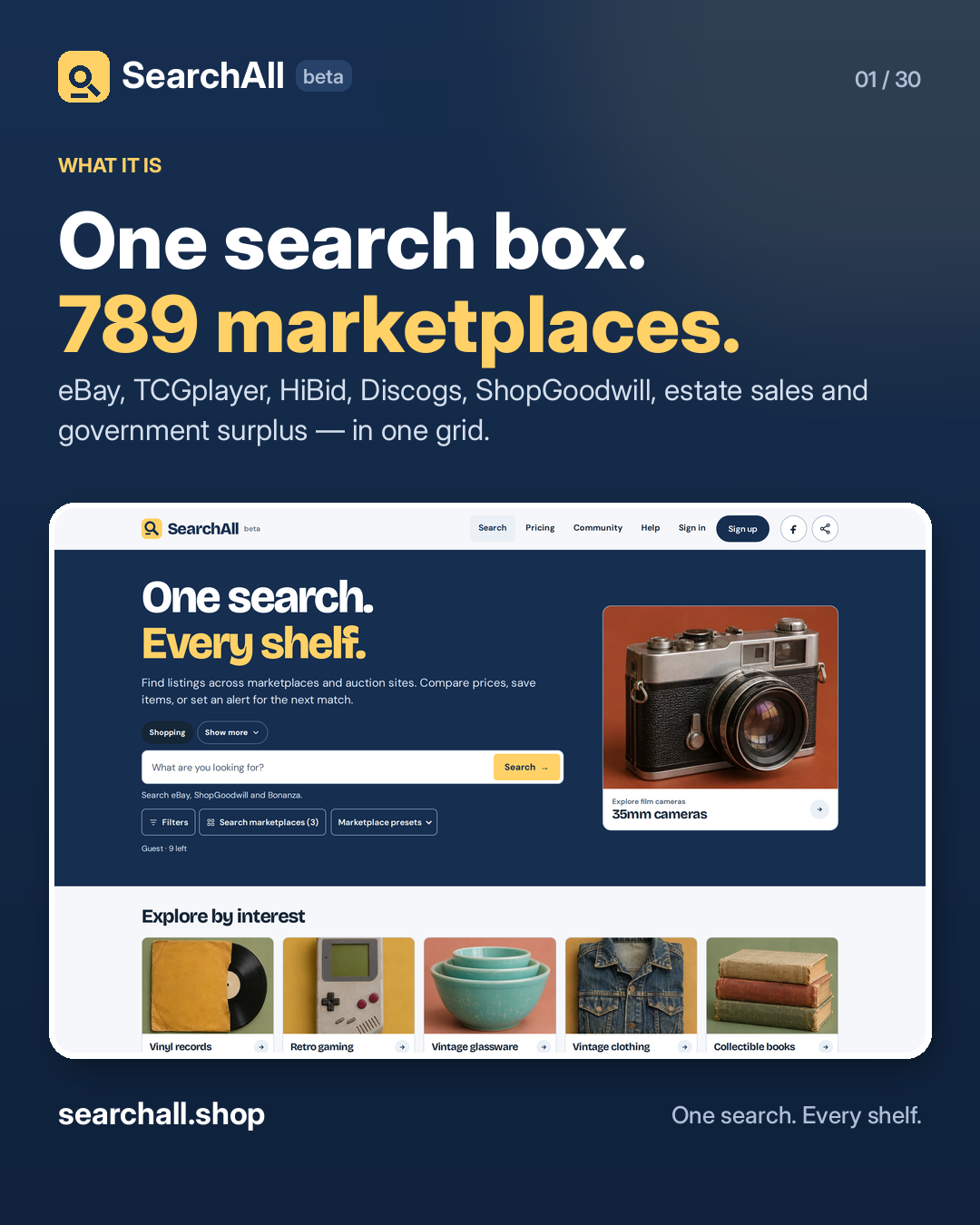
One search box. 789 marketplaces. SearchAll sends a single query to eBay, TCGplayer, HiBid, Discogs, ShopGoodwill, estate sales, government surplus and hundreds more — then shows what came back in one grid. Compare prices side by side. Filter by condition, buying format, or price. Save an item to watch, or set an alert for the next match. Guest searches check up to 3 marketplaces at a time. A free account searches 5, and Search All checks every connected marketplace. Start without an account: 10 guest searches. → searchall.shop

#SearchAll #OnlineShopping #ResellerCommunity

Approval: approved · Facebook: scheduled
Open the linked page ↗

Post 2 artwork

2026-11-18 · 09:30 ET · video

2. How to run your first search

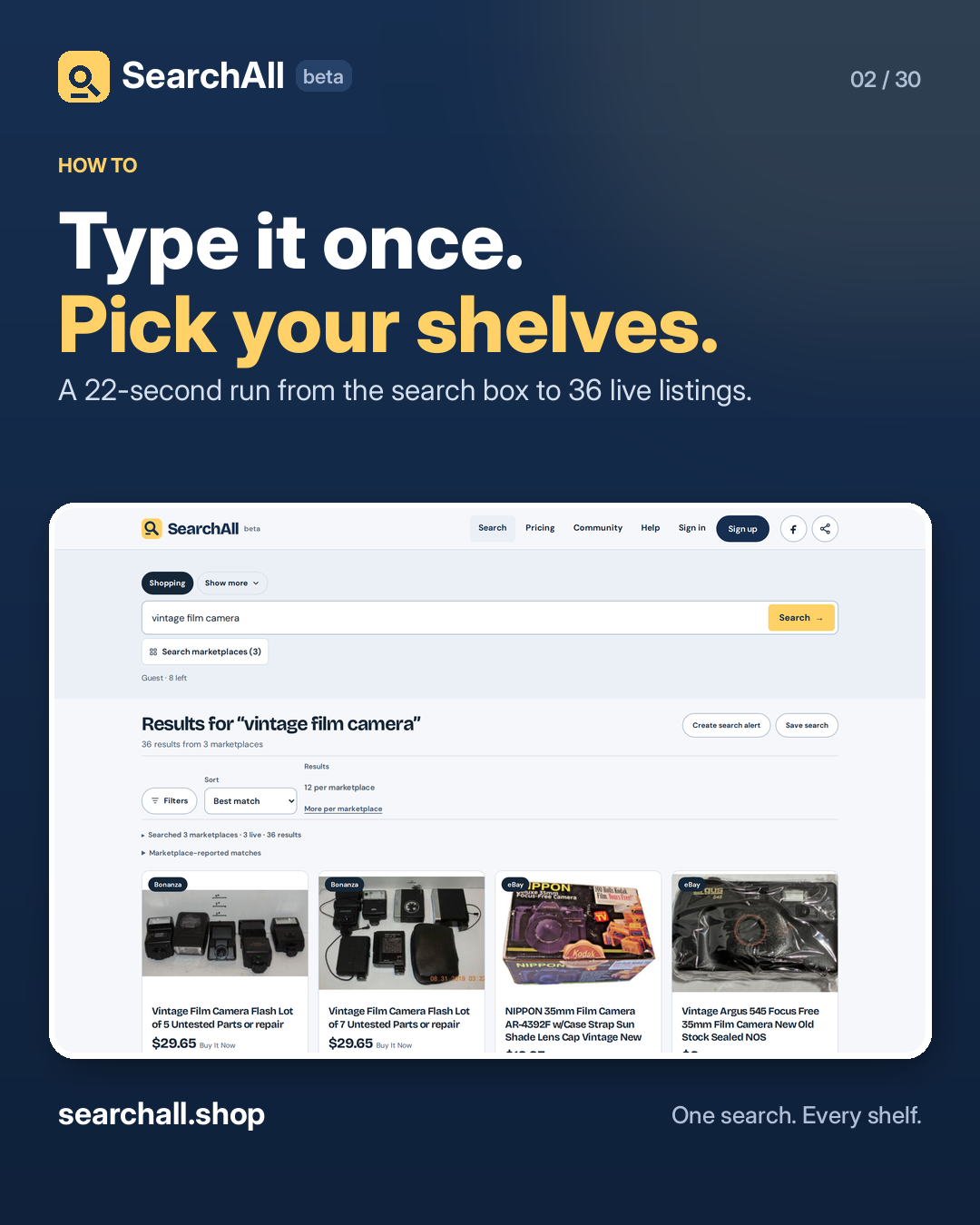
Type it once. Pick your shelves. Hit search. 1. Type what you are hunting. "Vintage film camera" works. 2. Choose marketplaces, or start from a preset like Cards, Clothing, or Equipment. 3. Hit Search. Every source lands in one grid, so you can sort by price or by what is ending soonest. That is the whole flow. No tabs, no re-typing the same query on six sites. Watch the run, then try your own at searchall.shop.

#SearchAll #HowTo #OnlineShopping

Approval: approved · Facebook: scheduled
Open the linked page ↗ · Watch the MP4 ↗

Post 3 artwork

2026-11-19 · 09:30 ET · image

3. Filters are free

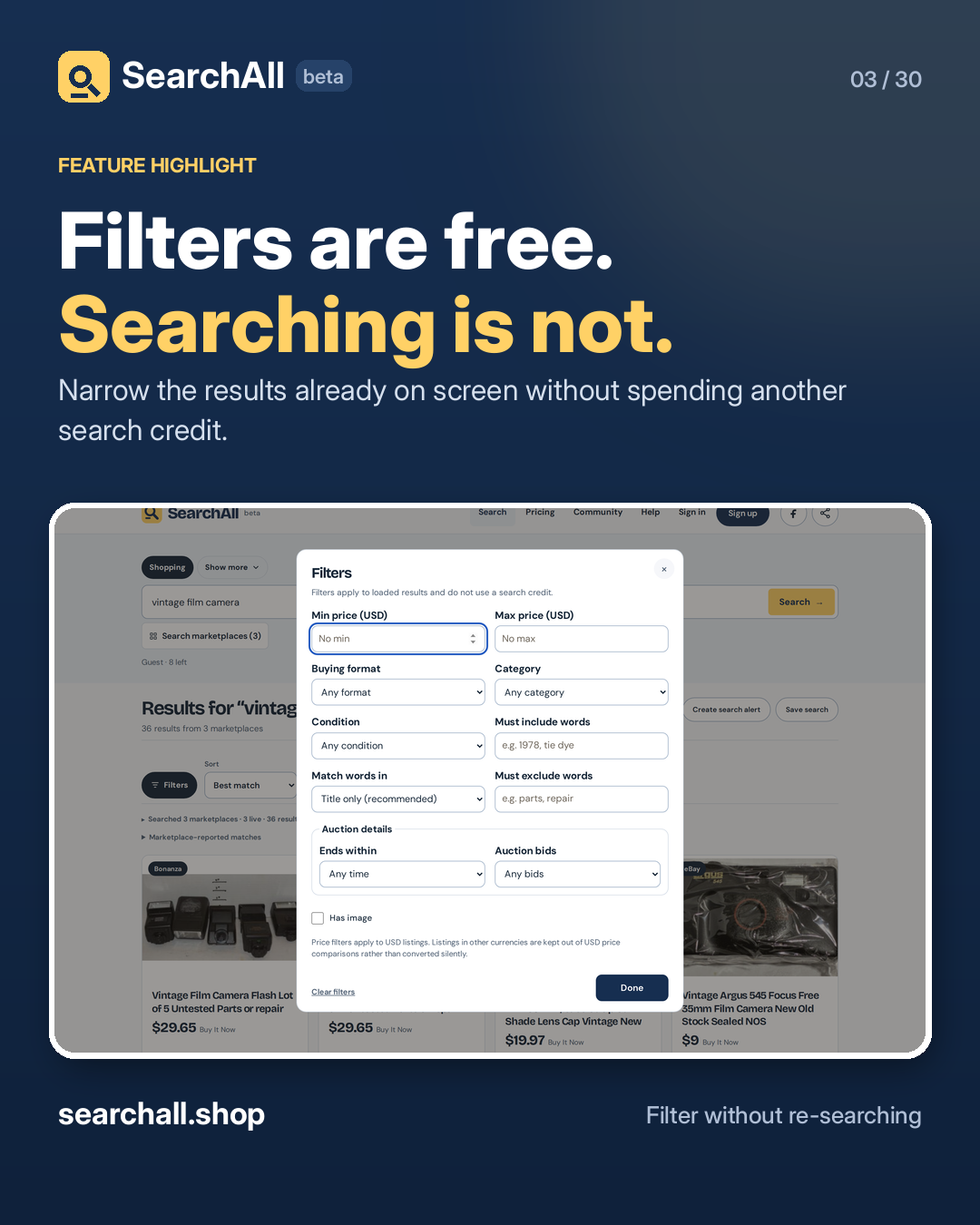
Filters are free. Searching is not. The filters panel narrows the results already on your screen. It does not run another search and does not spend another credit. Price range. Buying format. Condition. Must-include and must-exclude words. Auction end time. Bid count. Has image. If the filters hide everything, the empty state tells you how many results are there and offers a one-click clear. Try it: searchall.shop

#SearchAll #Thrifting #AuctionFinds

Approval: approved · Facebook: scheduled
Open the linked page ↗

Post 4 artwork

2026-11-20 · 09:30 ET · image

4. Regular search vs Search All

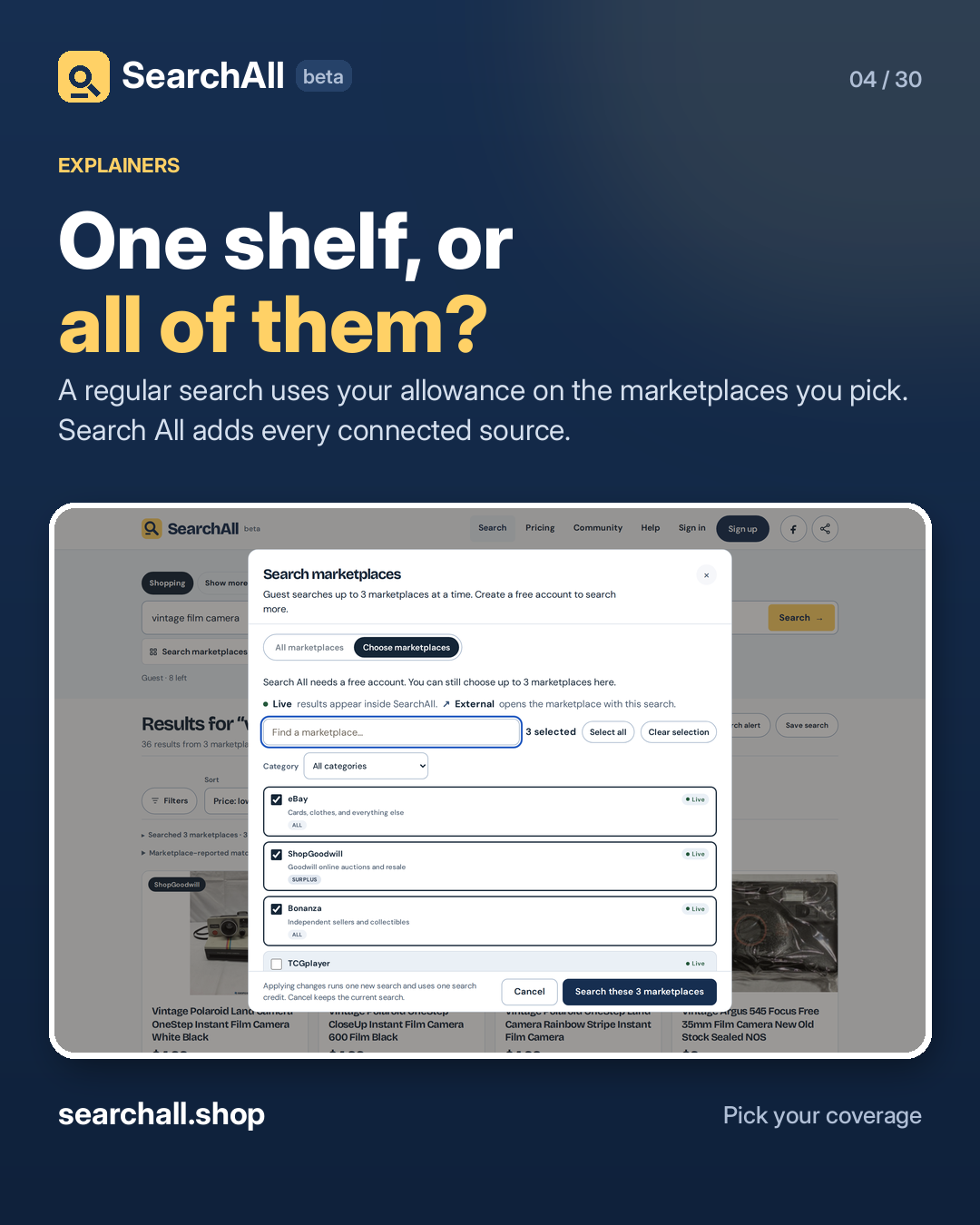
One shelf, or all of them? A regular search runs on the marketplaces you selected and uses one monthly search. Search All runs on every connected marketplace. It uses one regular search plus one Search All credit. If you already know the shelf, pick it. If you want to know every shelf, use Search All. The difference is on searchall.shop/pricing.

#SearchAll #ResellerTips

Approval: approved · Facebook: scheduled

Open the linked page ↗

Post 5 artwork

2026-11-21 · 09:30 ET · image

5. Start from a preset

Not sure which marketplaces to pick? Start from a preset. Cards. Clothing. Electronics. Equipment. Books. Maker electronics. Outdoor and camping. 3D printing. Crafts and fabric. General shopping. A preset selects the shops that fit that hunt, so a card search does not wait on a tractor auction. Open Marketplace presets on searchall.shop and pick the shelf closest to your hunt.

#SearchAll #Collectors #HowTo

Approval: approved · Facebook: scheduled

Open the linked page ↗

Post 6 artwork

2026-11-22 · 09:30 ET · image

6. Six other search modes

Shopping is just the start. The other modes search open collections, not shops: Books you can read in the browser for free. Images with a clear licence and creator. 3D prints with a confirmed printable file. Audio you can play at the source. Patterns and plans, with the access terms labelled. Drivers and software, with model and OS evidence. They link you to the source and do not use a shopping credit. Open Show more on searchall.shop.

#SearchAll #OpenAccess #HowTo

Approval: approved · Facebook: scheduled
Open the linked page ↗

Post 7 artwork

2026-11-23 · 09:30 ET · image

7. Guest vs free account

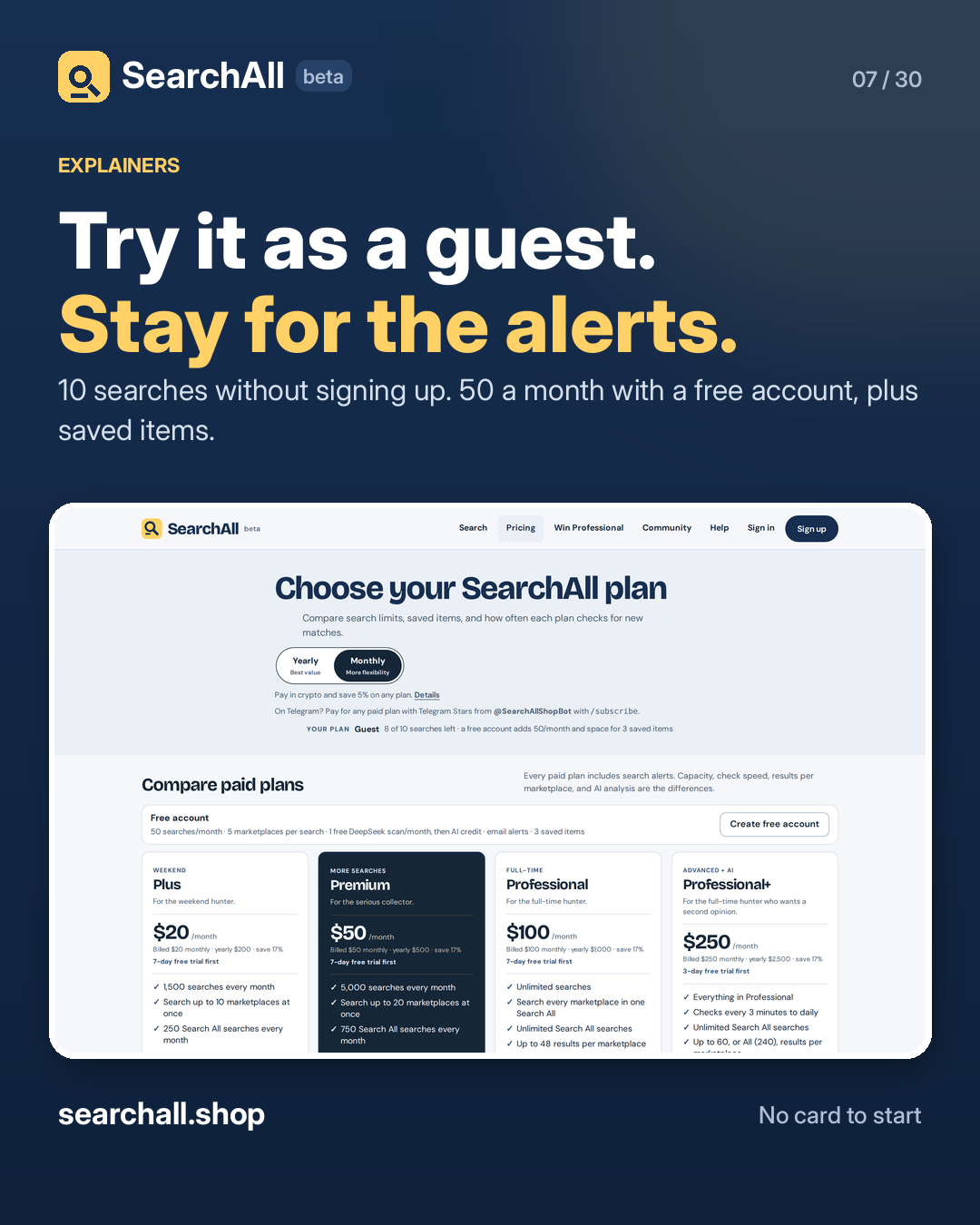
Try it as a guest. Stay for the alerts. Guest: 10 searches, up to 3 marketplaces at a time. No account, no card. Free account: 50 searches a month, 5 marketplaces per search, 3 saved items, email alerts, and one AI scan a month. Signing up uses a passkey or a generated private key. There is no password to invent and no email reset link to lose. Start at searchall.shop/signup.

#SearchAll #OnlineShopping

Approval: approved · Facebook: scheduled
Open the linked page ↗

Post 8 artwork

2026-11-24 · 09:30 ET · image

8. Save an item

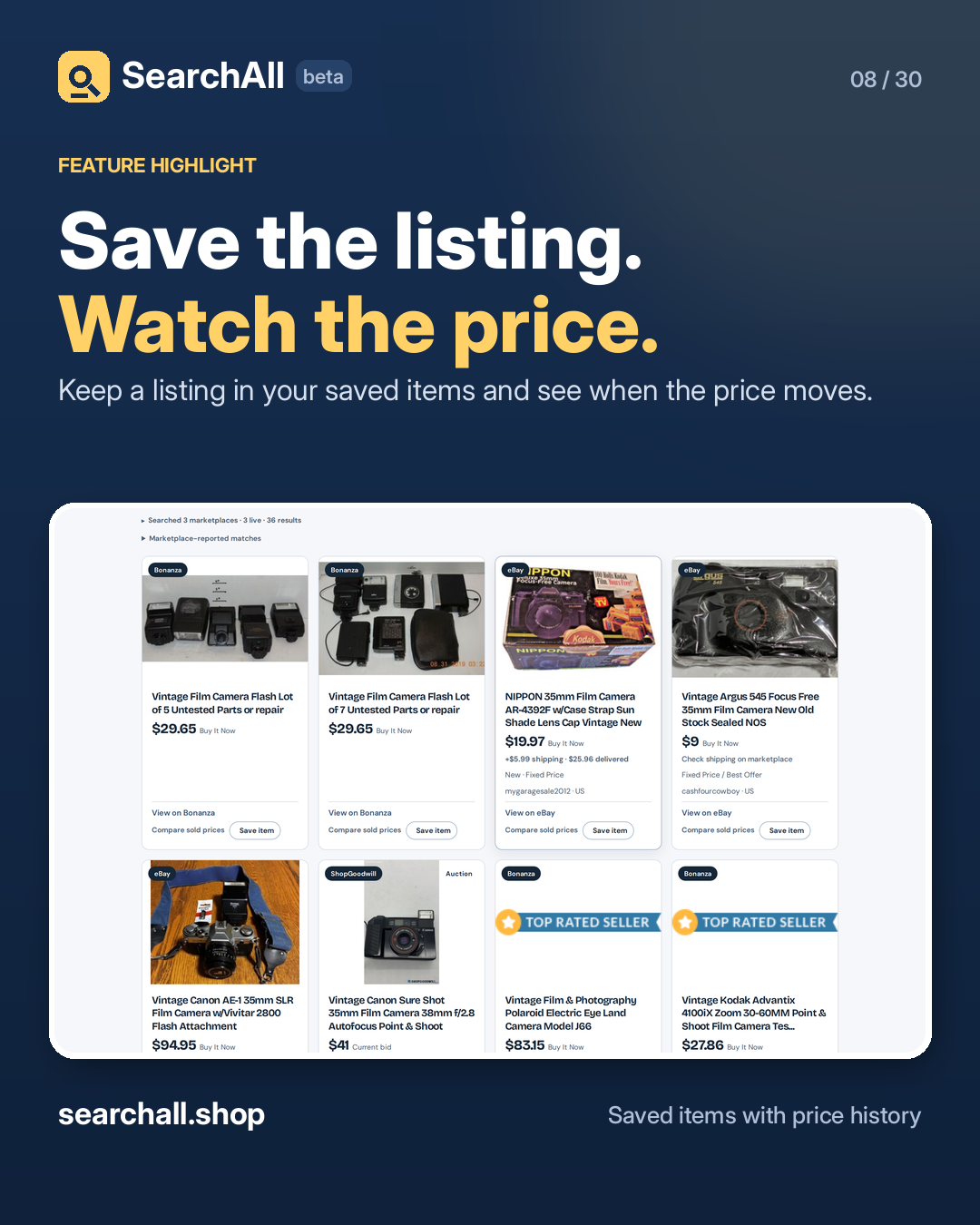
Save the listing. Watch the price. Hit Save item on any result and SearchAll records the price it saw. When the listing changes price, the saved item shows it. Use it before you make an offer, and again when an auction is about to close. Saved items start with a free account and grow to 50, 250, 1,000 or unlimited on paid plans. See it at searchall.shop.

#SearchAll #ResellerTips #AuctionFinds

Approval: approved · Facebook: scheduled

Open the linked page ↗

Post 9 artwork

2026-11-25 · 09:30 ET · image

9. Search alerts

Stop checking. Start getting alerts. A search alert saves the query, the marketplaces, and the filters. SearchAll re-runs it on a schedule and tells you when a new listing matches. Check speed depends on the plan: every 1–24 hours on Plus, as fast as every 15 minutes on Premium, every 5 minutes on Professional, and every 3 minutes on Professional+. Create a search alert from any results page on searchall.shop.

#SearchAll #Collectors #ResellerTips

Approval: approved · Facebook: scheduled
Open the linked page ↗

Post 10 artwork

2026-11-26 · 09:30 ET · image

10. Saved searches

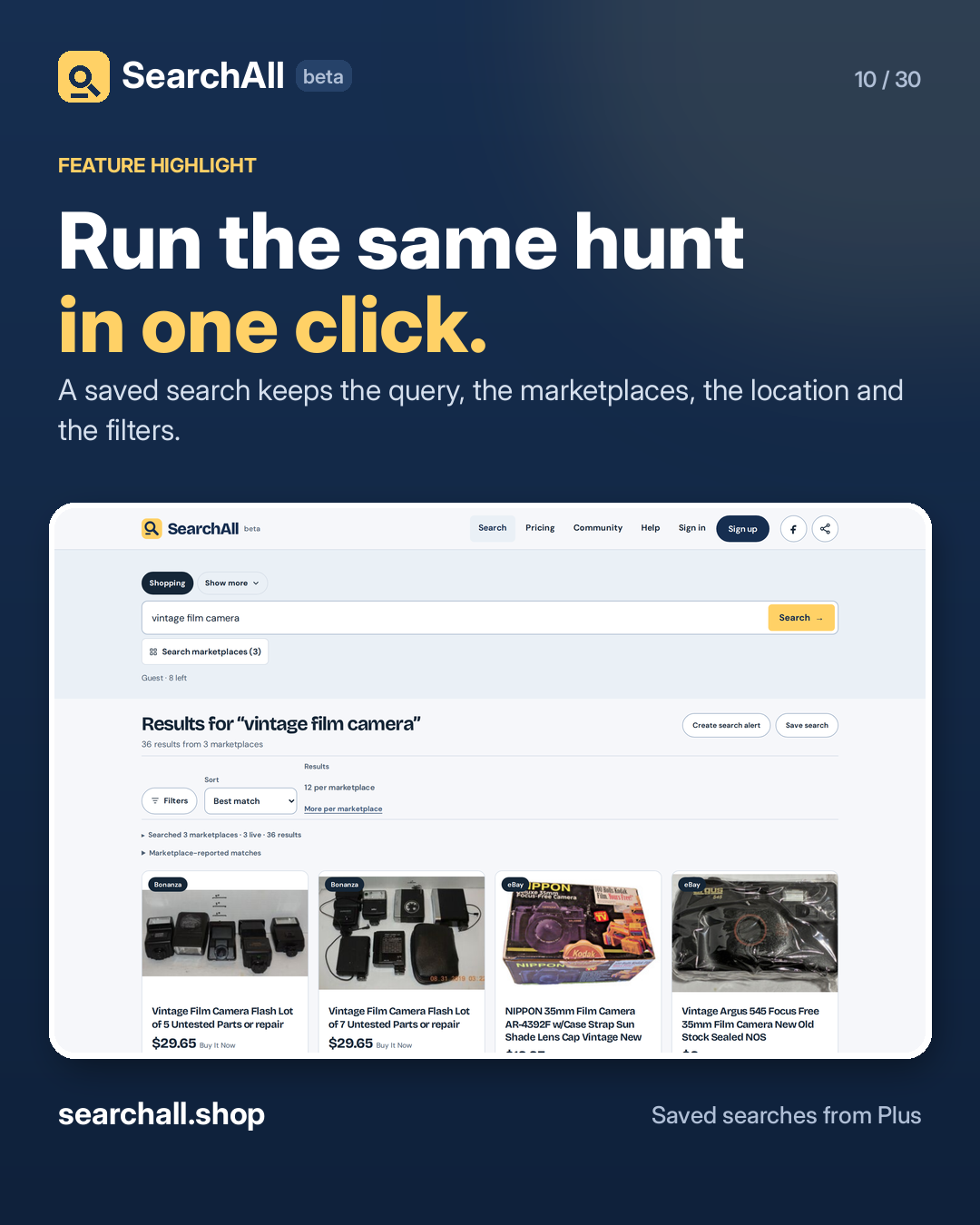
Run the same hunt in one click. A saved search keeps the query, the marketplaces, the location, the sort and the filters. Open it tomorrow and the hunt is already set up. Different from an alert: a saved search waits for you. An alert comes to you when something new matches. Saved searches start on Plus — 25 on Plus, 100 on Premium, unlimited on Professional and above. Set one up at searchall.shop.

#SearchAll #HowTo #Collecting

Approval: approved · Facebook: scheduled
Open the linked page ↗

Post 11 artwork

2026-11-27 · 09:30 ET · image

11. AI value scan

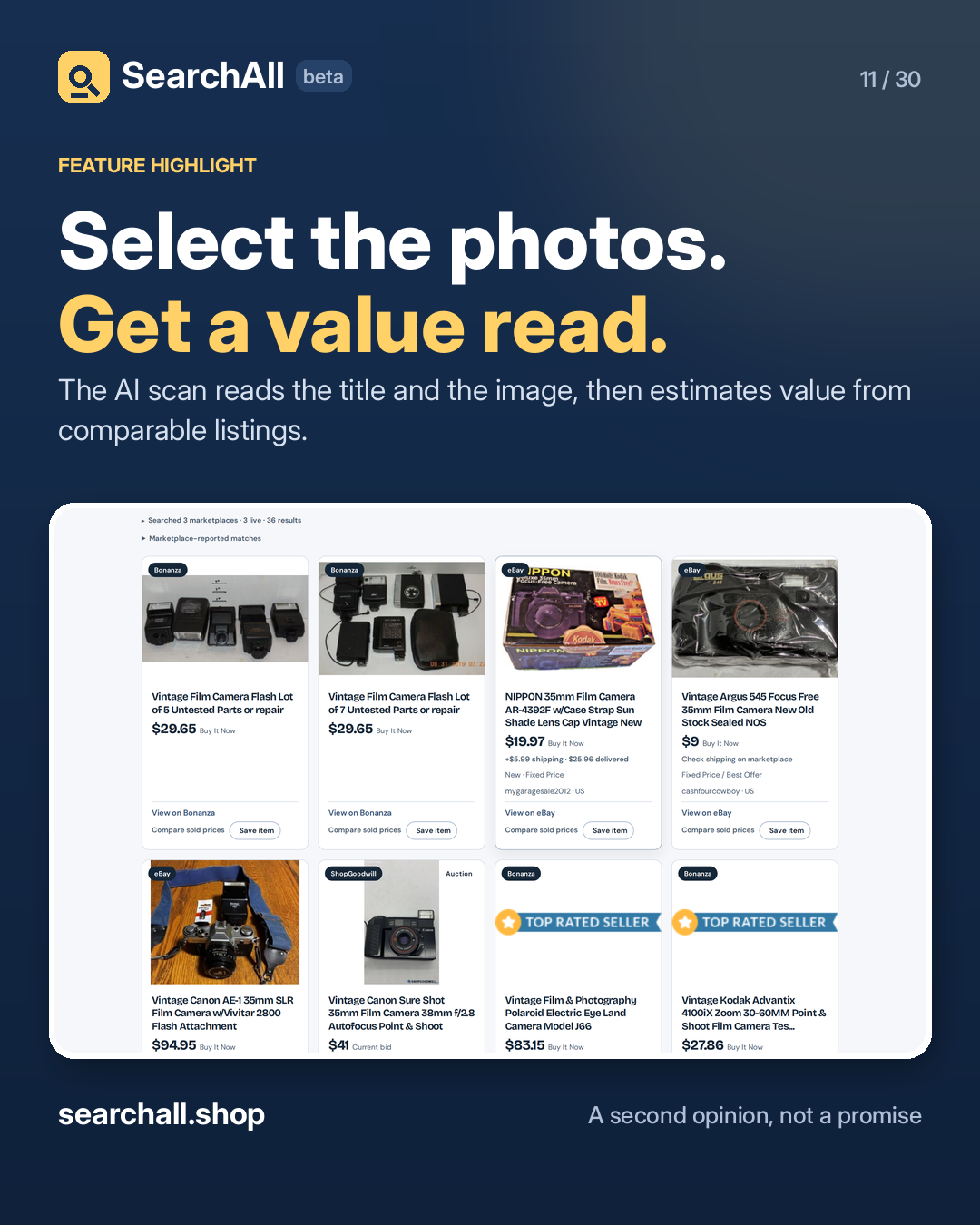
Select the photos. Get a value read. On a results page, tick the listings you are considering and run AI value scan. It reads the title and the image, then returns a value estimate, with the plan's scan allowance shown before you run it. Every plan includes some scans: one a month free, one a week on Plus, 20 a month on Premium, 50 on Professional, 100 on Professional+. It is a second opinion, not an appraisal. Check the sold prices before you bid. Try it on searchall.shop.

#SearchAll #ResellerTips #Collecting

Approval: approved · Facebook: scheduled
Open the linked page ↗

Post 12 artwork

2026-11-28 · 09:30 ET · image

12. Before you bid

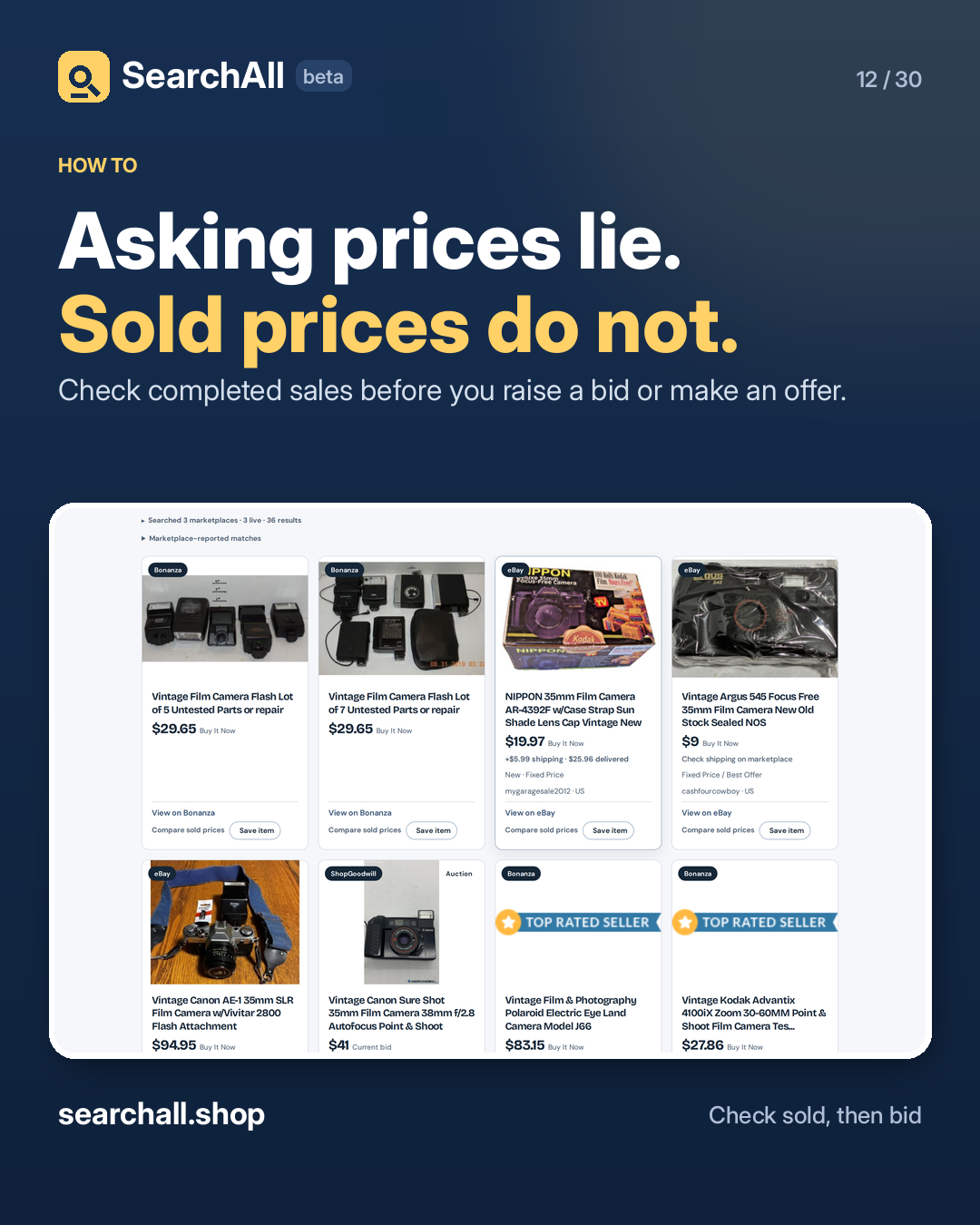
Asking prices lie. Sold prices do not. Active listings are asking prices. Completed eBay sales are a reality check. On a results page, open the Before you bid panel and follow the sold-listings link for that item. Compare the last few sales against the current ask. If the ask is far above recent sold prices, wait. If it is below, you have your answer. Search first at searchall.shop.

#SearchAll #AuctionTips #ResellerCommunity

Approval: approved · Facebook: scheduled
Open the linked page ↗

Post 13 artwork

2026-11-29 · 09:30 ET · image

13. Live vs external sources

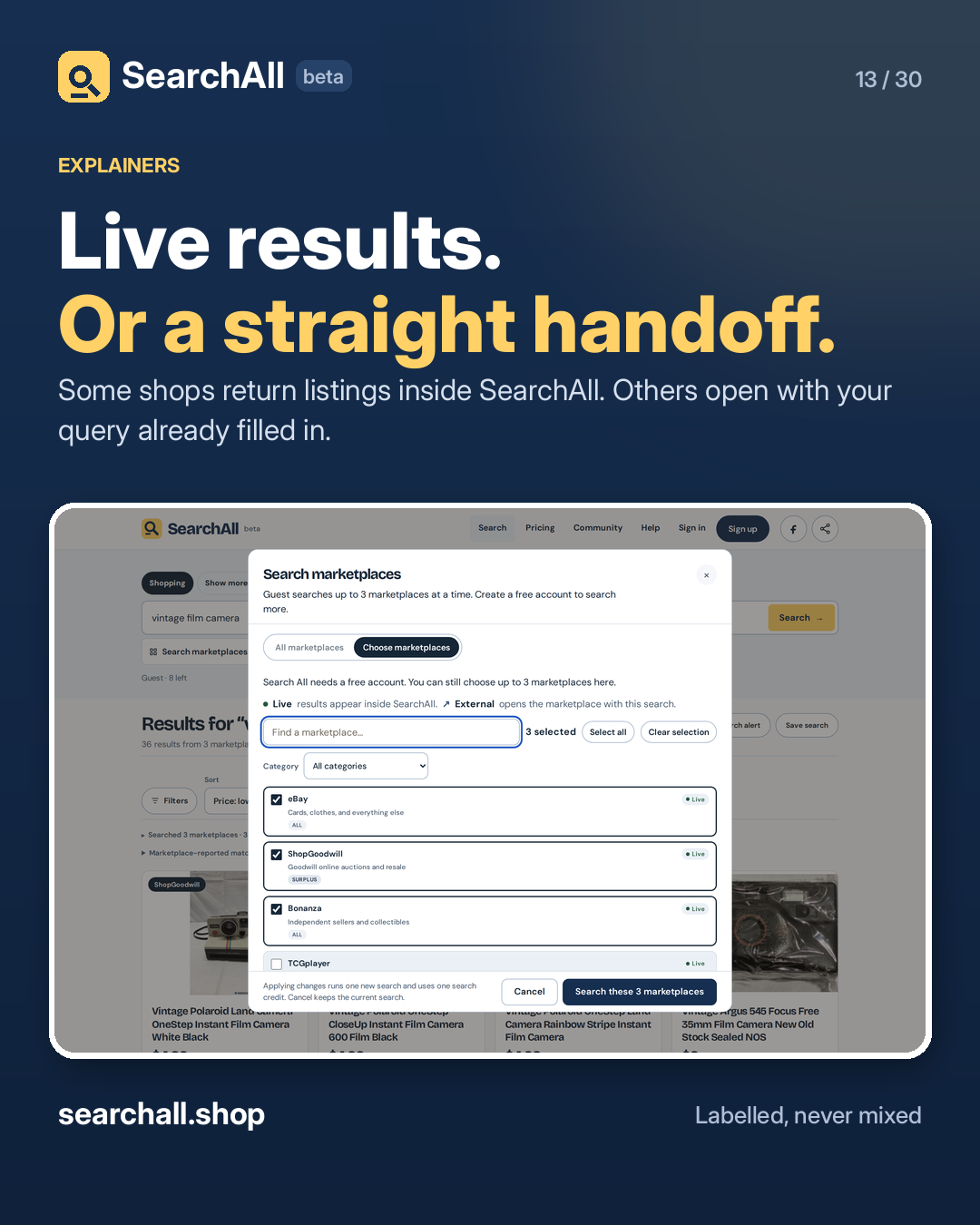
Live results. Or a straight handoff. Live sources return listings inside SearchAll, with the price, the condition and a link to the listing. External sources open the shop with your query already filled in. They are listed apart from the loaded count, because they are not results SearchAll loaded. The picker marks every source Live or External before you search. No guessing which is which. See the full list at searchall.shop.

#SearchAll #OnlineShopping

Approval: approved · Facebook: scheduled
Open the linked page ↗

Post 14 artwork

2026-11-30 · 09:30 ET · image

14. No invented totals

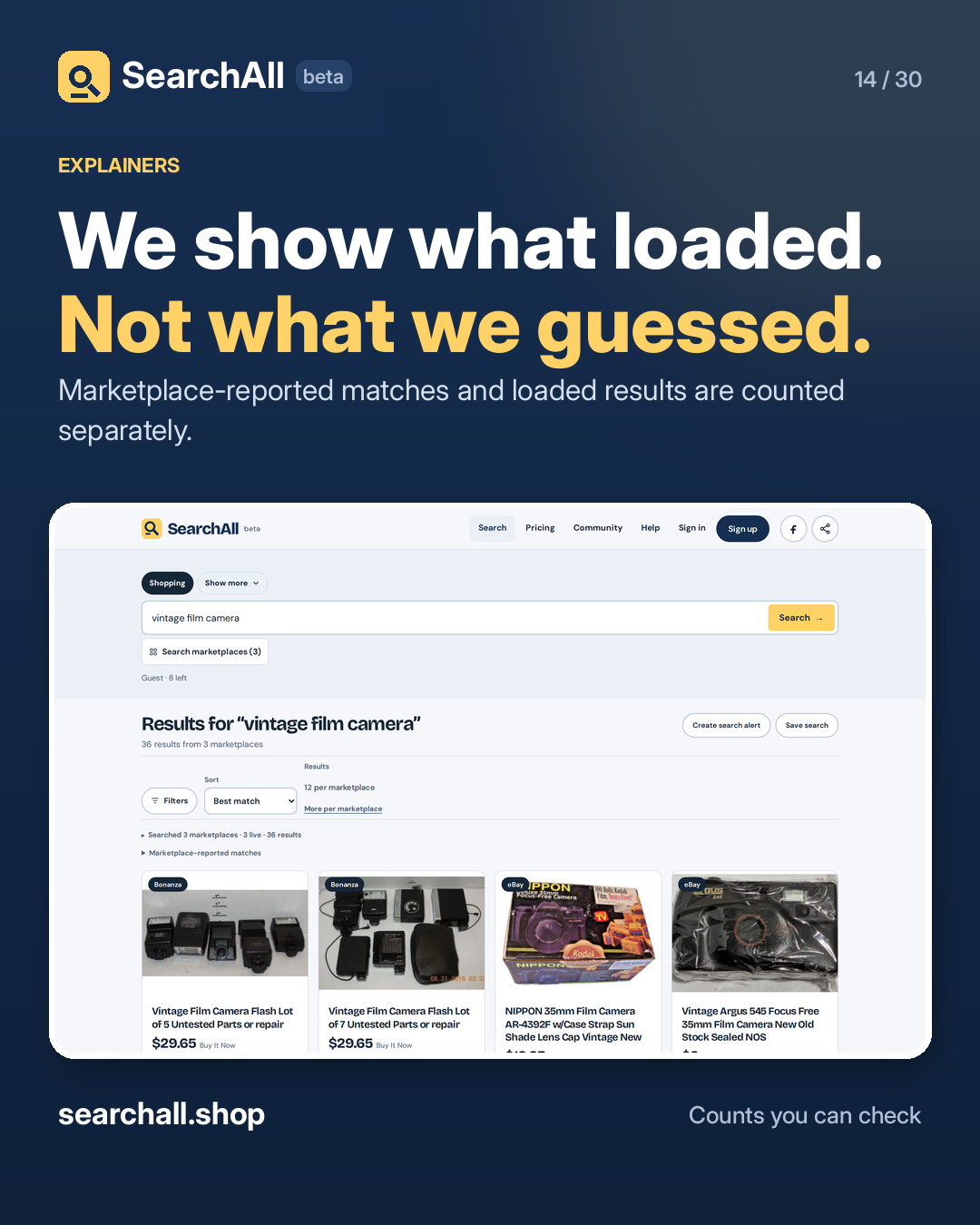
We show what loaded. Not what we guessed. In the search above, the marketplaces reported far more matches than SearchAll loaded. The page says 36 results, because 36 is what actually arrived. The marketplace-reported total sits in its own panel, labelled as the marketplace's number. If a source fails, its results are missing — not faked or topped up. A search tool should be honest about what it actually saw. That is the rule here. Check a search at searchall.shop.

#SearchAll #Transparency

Approval: approved · Facebook: scheduled
Open the linked page ↗

Post 15 artwork

2026-12-01 · 09:30 ET · image

15. Cards and collectibles

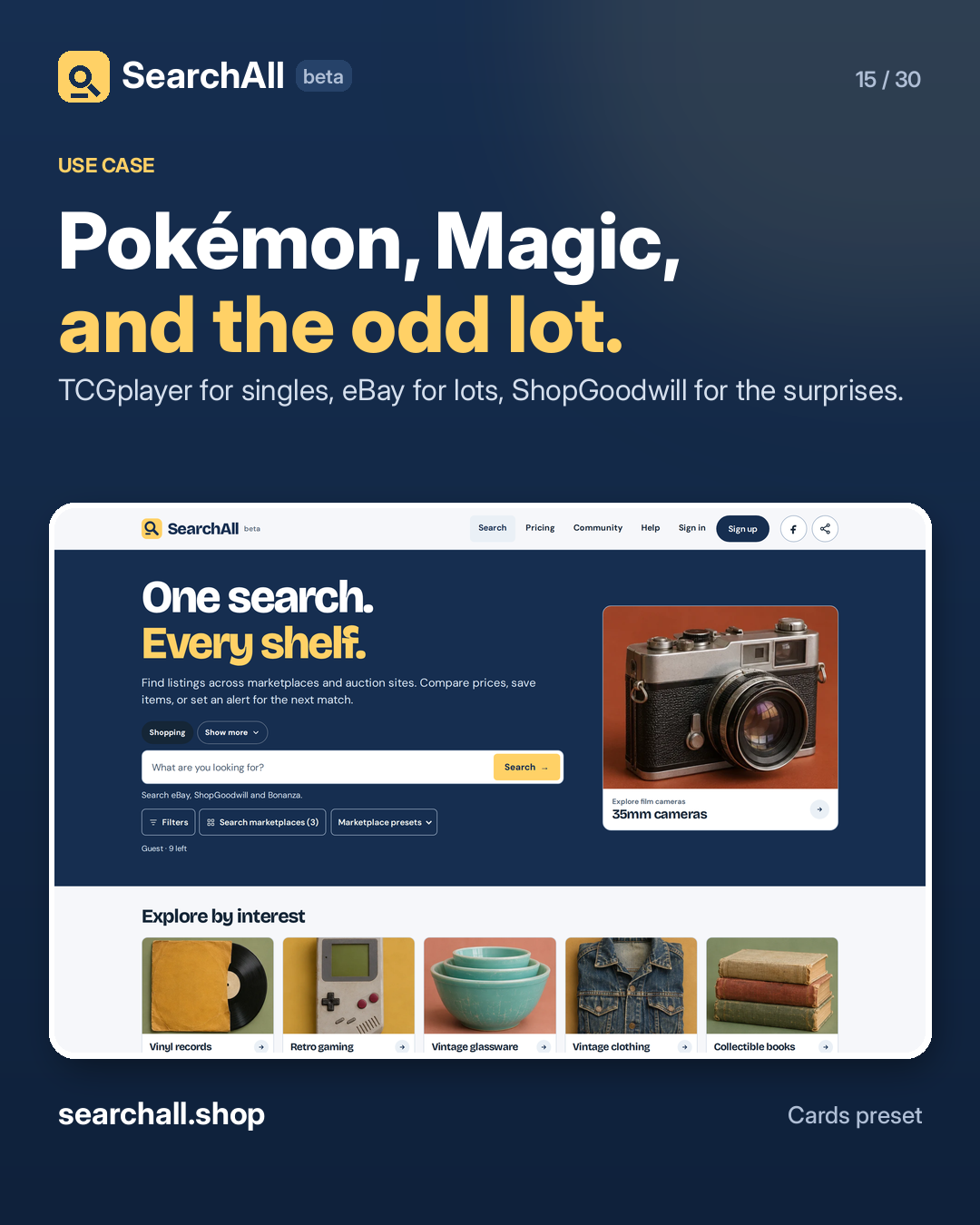
Pokémon, Magic, and the odd lot. The Cards preset puts TCGplayer next to eBay, ShopGoodwill and Bonanza, so a single and a collection lot show up in the same search. Search a card by name, then filter by condition and buying format. Auction, Buy It Now, graded, raw, or a lot. Save the ones worth watching and let an alert catch the next listing. Start with the Cards preset at searchall.shop.

#SearchAll #PokemonTCG #MTG

Approval: approved · Facebook: scheduled
Open the linked page ↗

Post 16 artwork

2026-12-02 · 09:30 ET · image

16. Auctions and estates

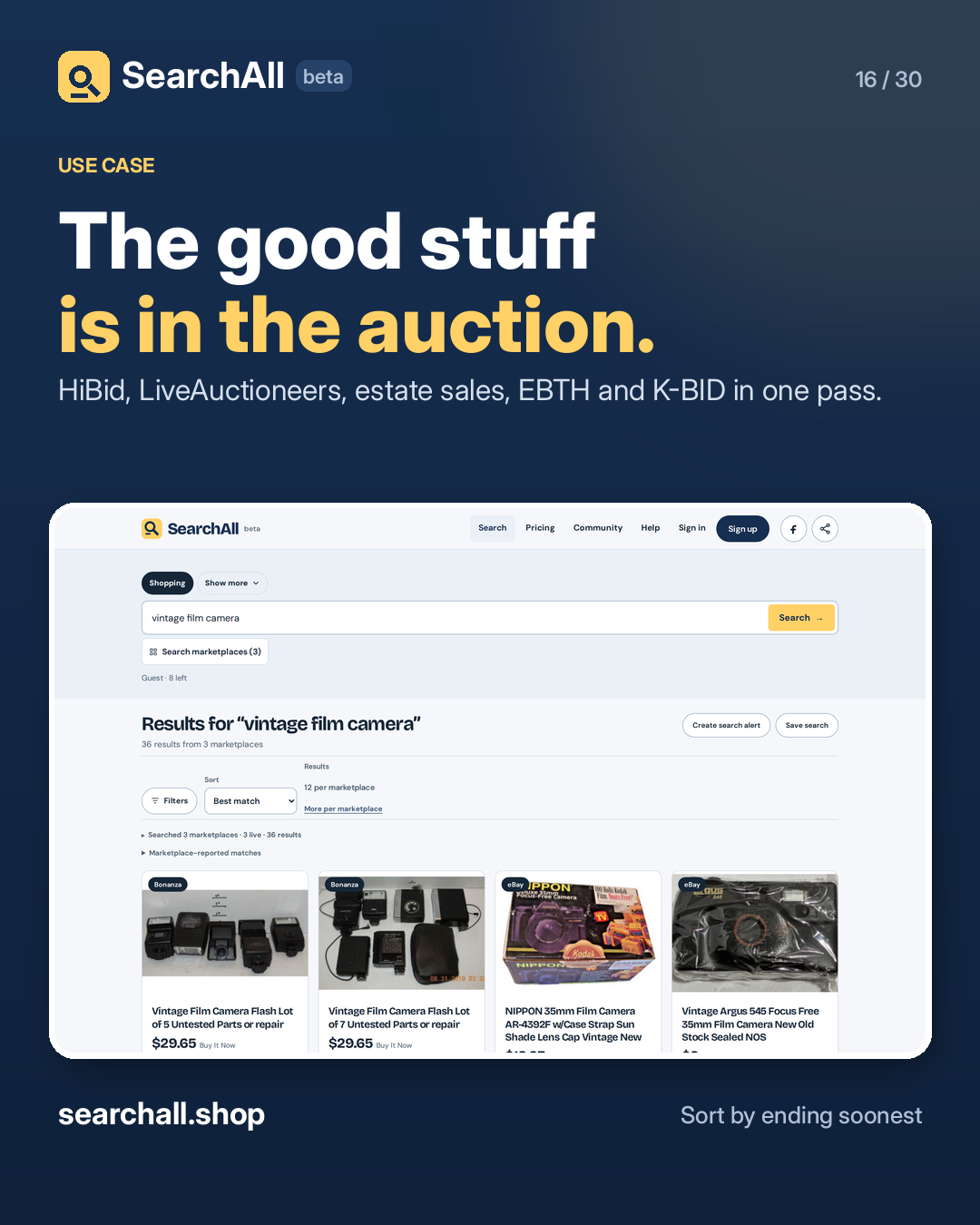
The good stuff is in the auction. Local auction houses, estate sales and online-only lots are hard to watch one at a time. SearchAll puts HiBid, LiveAuctioneers, EstateSales, EBTH, K-BID and more behind one query. Sort by ending soonest, filter by bid count, and set the price ceiling before you start bidding. Then check sold prices before the hammer. Search the auction shelf at searchall.shop.

#SearchAll #AuctionFinds #EstateSale

Approval: approved · Facebook: scheduled
Open the linked page ↗

Post 17 artwork

2026-12-03 · 09:30 ET · image

17. Equipment and surplus

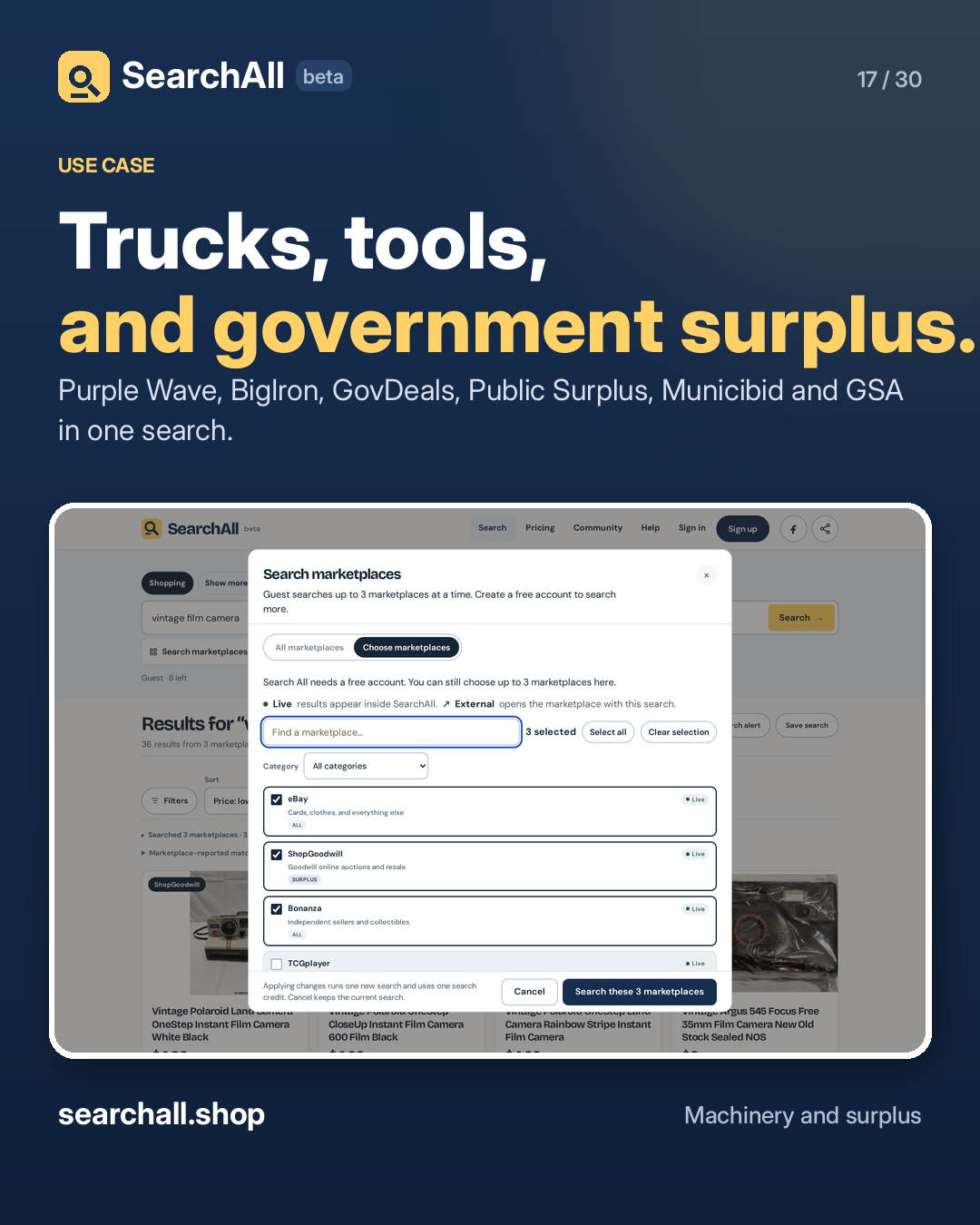
Trucks, tools, and government surplus. No-reserve equipment auctions are spread across a dozen sites. SearchAll searches Purple Wave, BigIron, GovDeals, Public Surplus, Municibid and GSA Auctions in one pass. Search the model or the category, filter to auction format, and sort by ending soonest. The lot details stay with the auction house. Set an alert for the model you actually want. Start at searchall.shop.

#SearchAll #Equipment #Surplus

Approval: approved · Facebook: scheduled
Open the linked page ↗

Post 18 artwork

2026-12-04 · 09:30 ET · image

18. Records and music gear

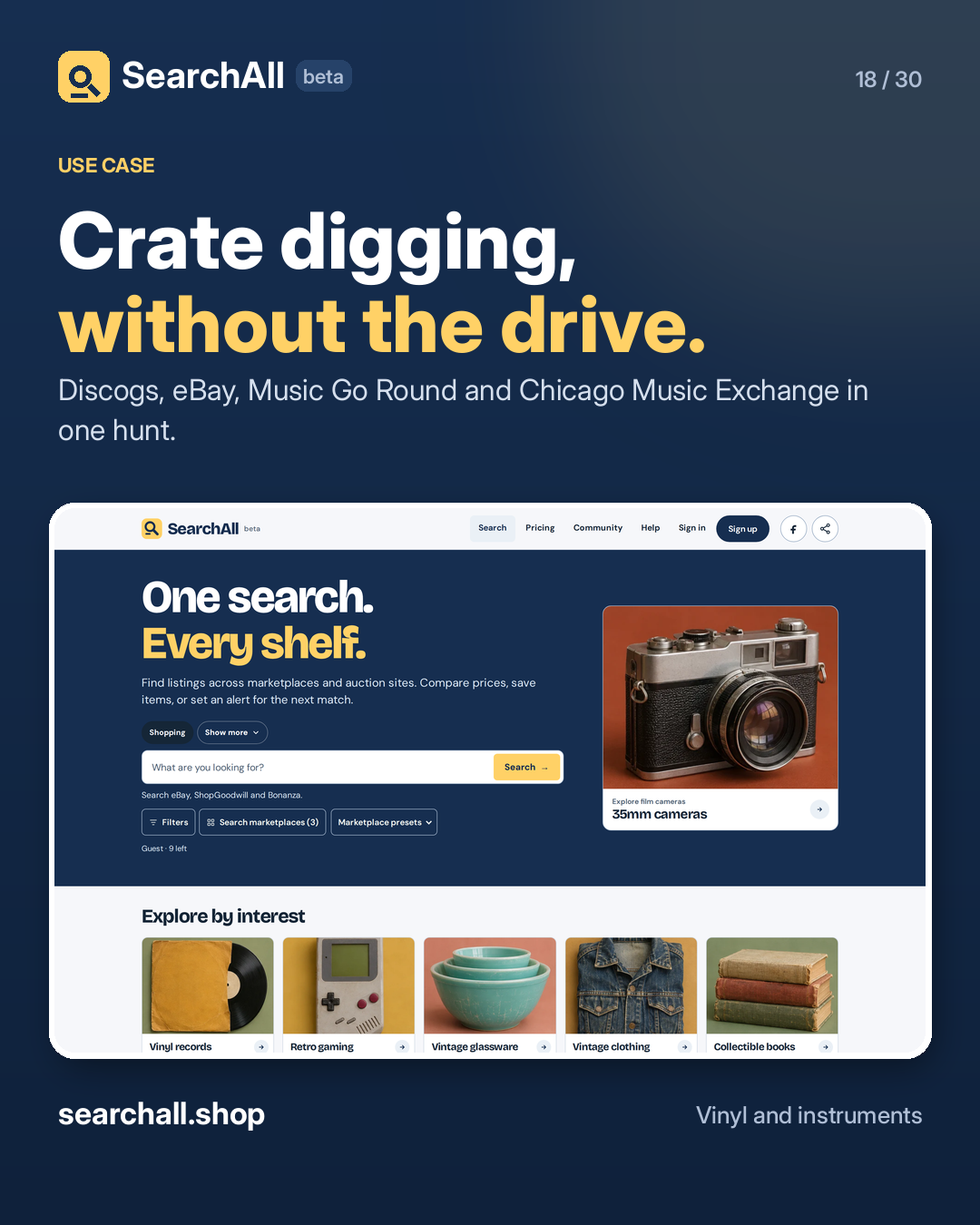
Crate digging, without the drive. Search a pressing, a label, or a piece of gear across Discogs, eBay, Music Go Round and Chicago Music Exchange at once. The results keep the source label, so you know whether you are looking at a shop, a marketplace, or a collector's copy. Filter by price and condition, save the ones you want, and let alerts handle the repress. Search the music shelf at searchall.shop.

#SearchAll #Vinyl #VinylCommunity

Approval: approved · Facebook: scheduled
Open the linked page ↗

Post 19 artwork

2026-12-05 · 09:30 ET · image

19. Cameras and lenses

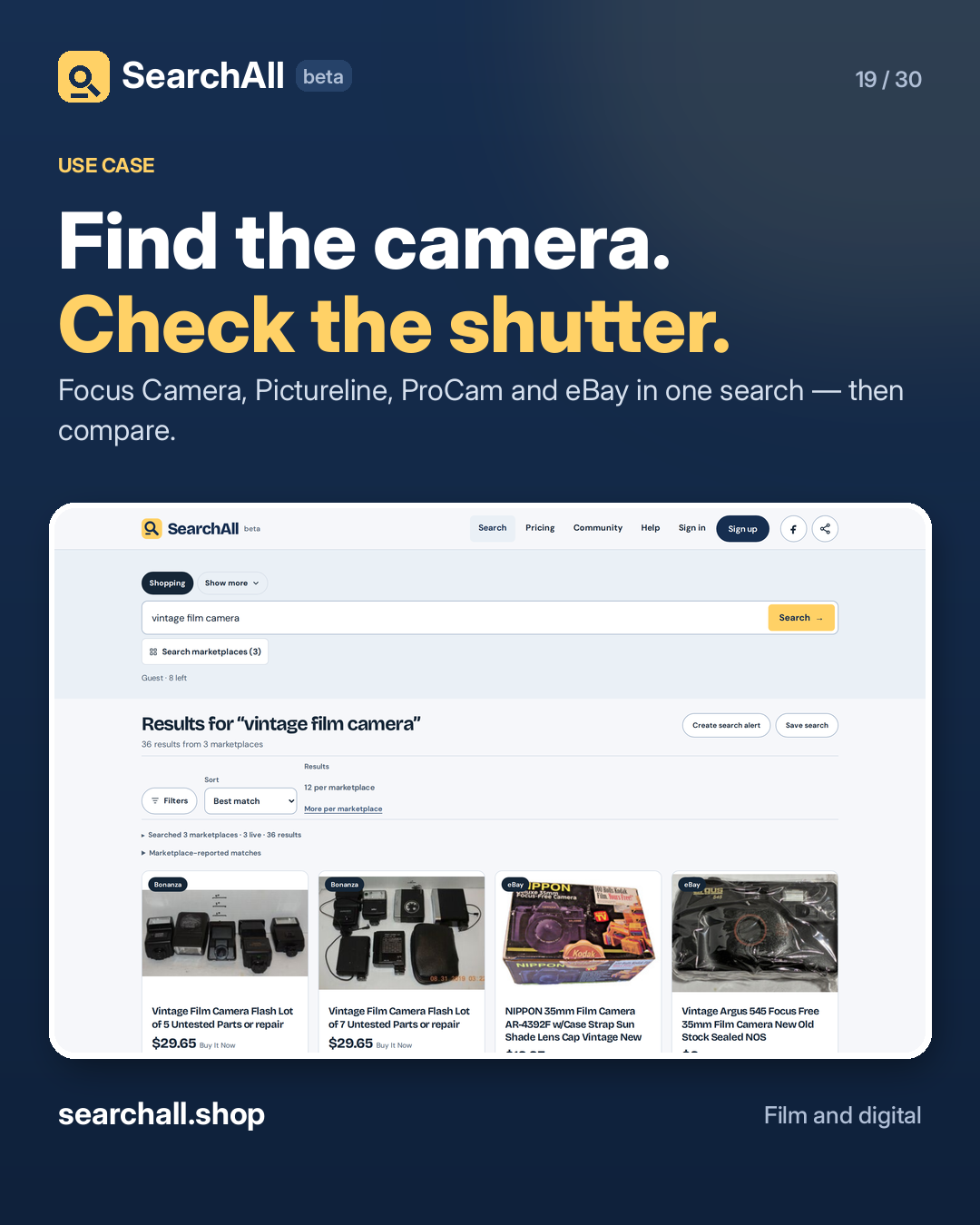
Find the camera. Check the shutter. Search a body or a lens across camera shops and marketplaces at once. Focus Camera, Pictureline and ProCam sit next to eBay and ShopGoodwill. Filter by condition and price. Read the listing for the shutter count, the battery, and the return terms — the shop's listing is the source of truth. Save the shortlist, then compare sold prices before you commit. Try a search at searchall.shop.

#SearchAll #FilmPhotography #CameraGear

Approval: approved · Facebook: scheduled
Open the linked page ↗

Post 20 artwork

2026-12-06 · 09:30 ET · image

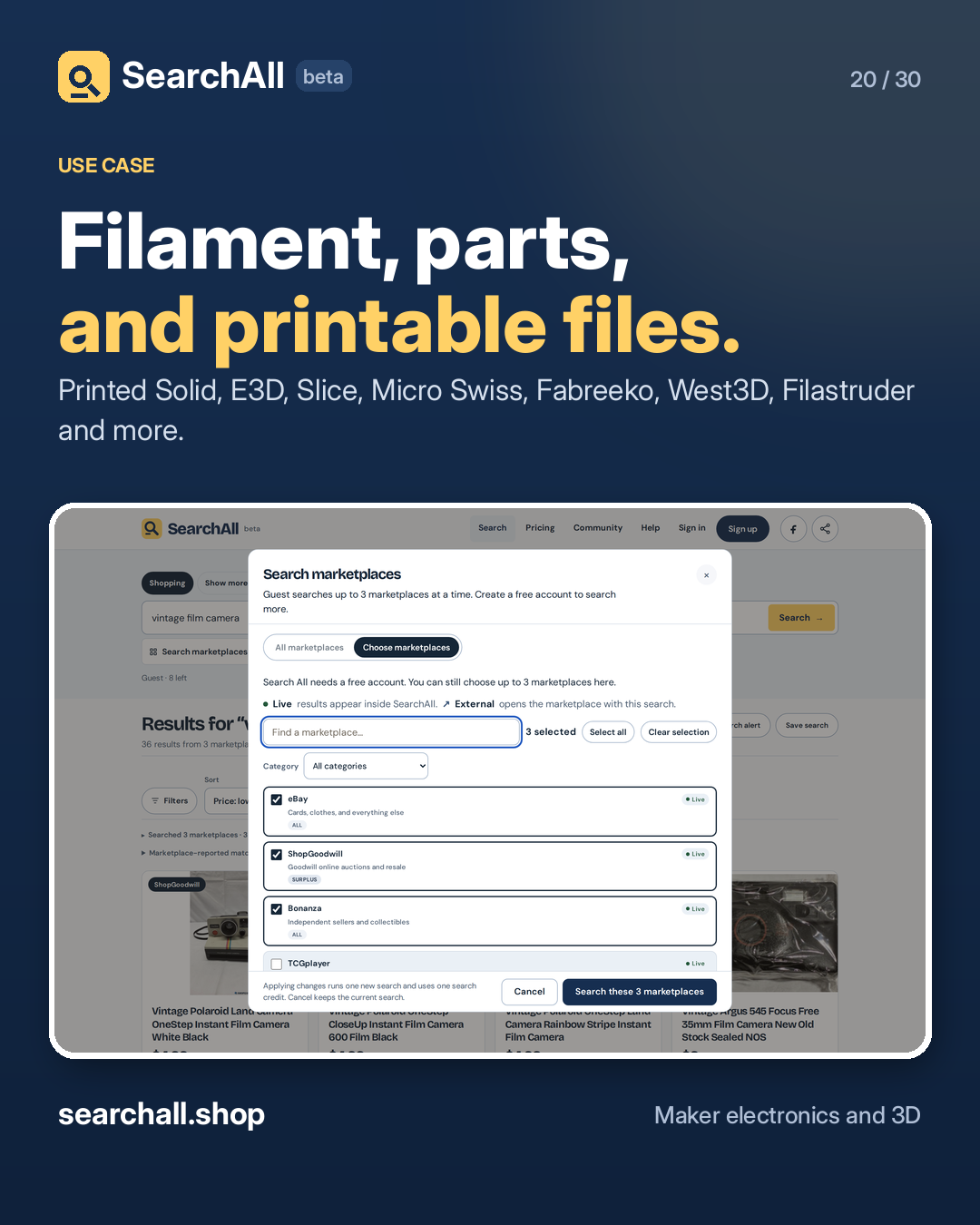
20. Makers and 3D printing

Filament, parts, and printable files. The 3D printing preset searches Printed Solid, Polymaker, E3D, Slice Engineering, Micro Swiss, Fabreeko, West3D, Filastruder and the rest in one query. Looking for a model instead of a part? Switch to 3D Prints and search museum and community catalogues with a confirmed printable file. A file being STL does not prove it prints cleanly. Check the source and the licence. Start at searchall.shop.

#SearchAll #3DPrinting #Makers

Approval: approved · Facebook: scheduled
Open the linked page ↗

Post 21 artwork

2026-12-07 · 09:30 ET · image

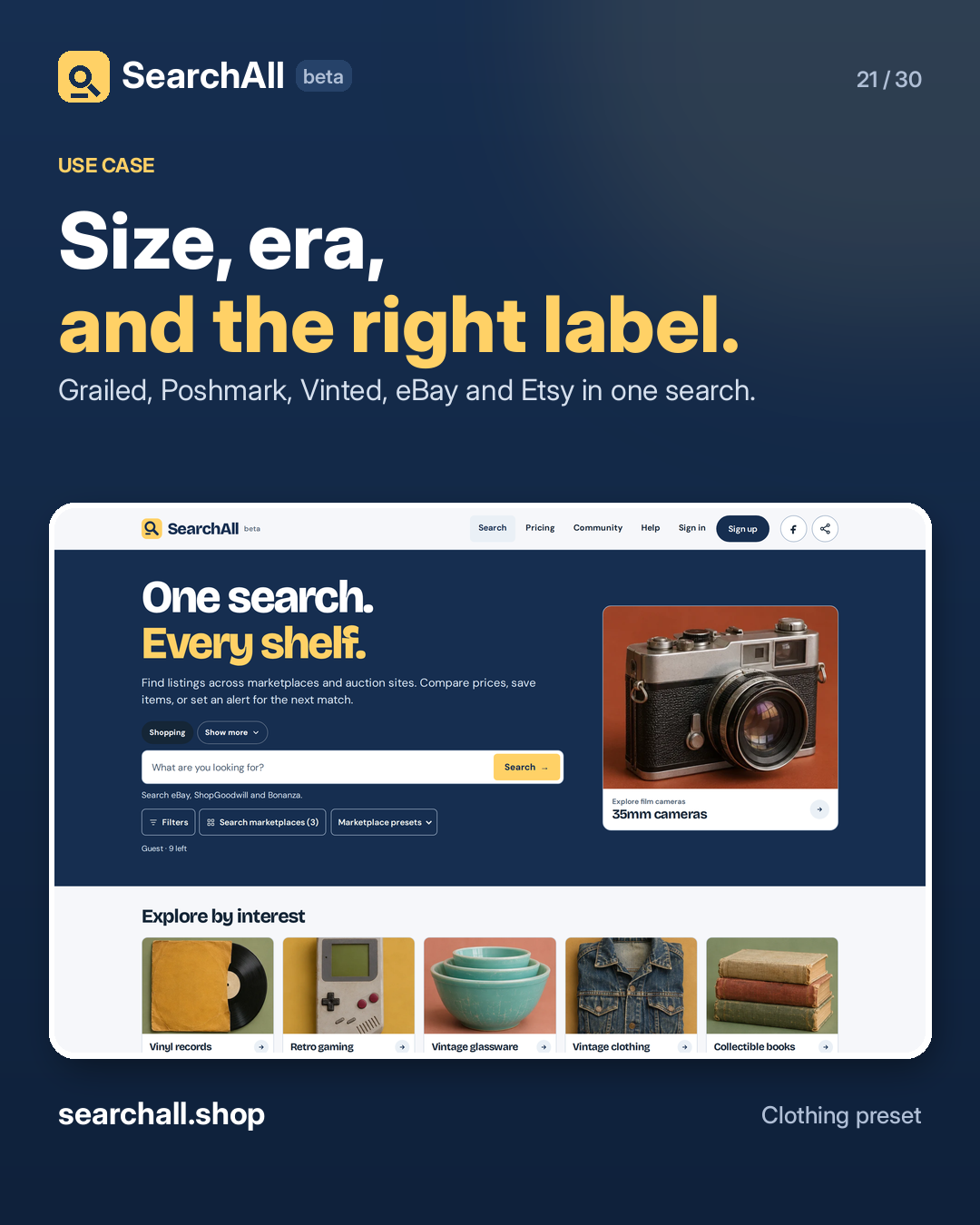
21. Vintage clothing

Size, era, and the right label. The Clothing preset searches Grailed, Poshmark, Vinted, eBay and Etsy together, so a chore coat or a pair of denim does not need five tabs. Put the words you must have in the include field and the ones you are sick of in the exclude field. Filter by condition and price. Save the listing and watch the price before you commit. Start at searchall.shop.

#SearchAll #VintageFashion #Thrifted

Approval: approved · Facebook: scheduled

Open the linked page ↗

Post 22 artwork

2026-12-08 · 09:30 ET · image

22. Used and rare books

Out of print. Still findable. Search a title, an author, or an ISBN across AbeBooks, ThriftBooks, Alibris, World of Books and Book Outlet at once. The Books mode is different: it searches complete works you can read in the browser for free, and shows the source, language and rights. No purchase, account or loan. One is for the shelf. One is for tonight. Both start at searchall.shop.

#SearchAll #BookLovers #UsedBooks

Approval: approved · Facebook: scheduled
Open the linked page ↗

Post 23 artwork

2026-12-09 · 09:30 ET · image

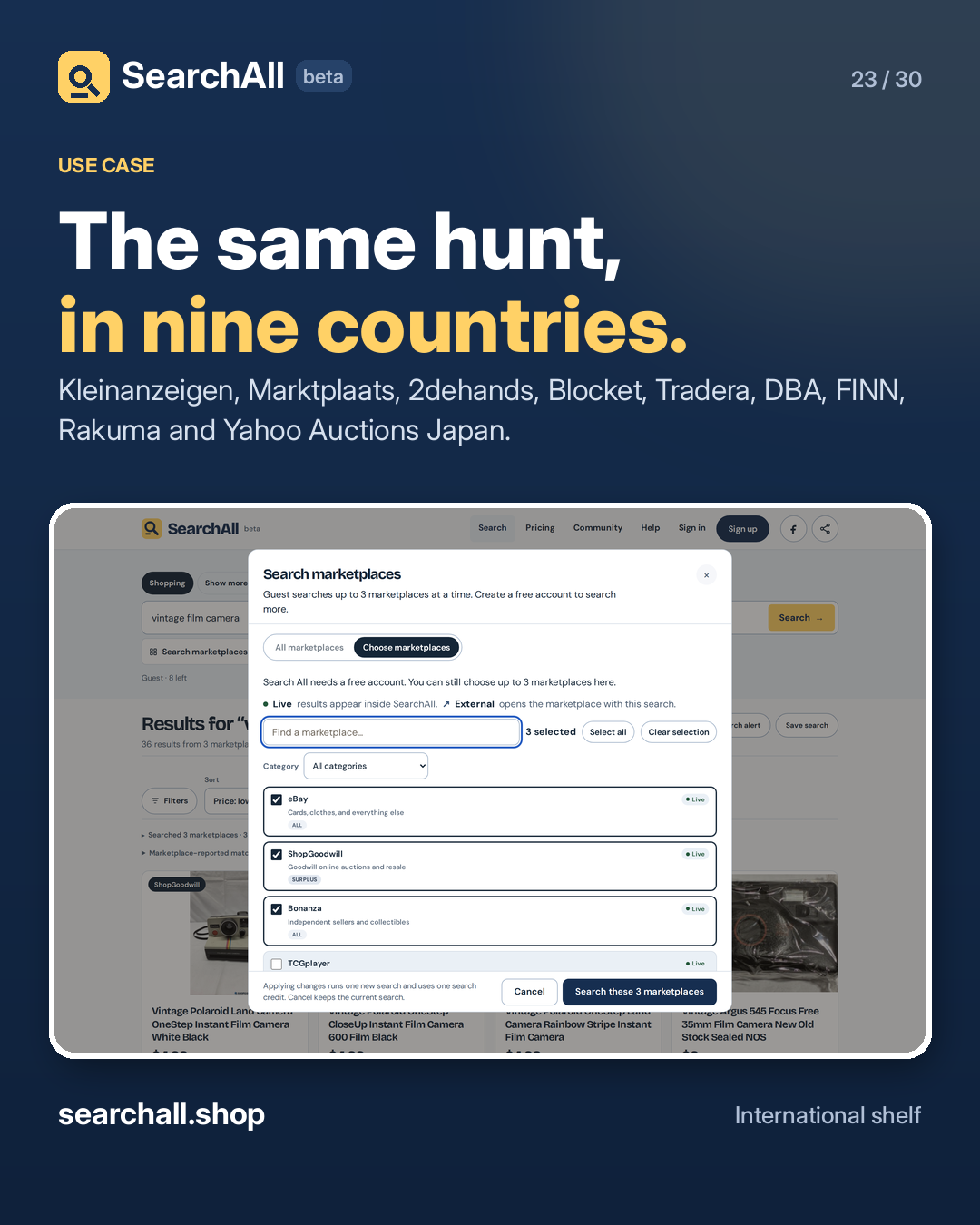
23. Beyond the US

The same hunt, in nine countries. Some parts only show up on a local classifieds site. SearchAll includes Kleinanzeigen, Marktplaats, 2dehands, Blocket, Tradera, DBA, FINN, Rakuma and Yahoo Auctions Japan. Japanese auctions work best with Japanese search terms. Everything else takes the words you would use at home. Filter by category and price, then check the seller's terms before you buy across a border. Try it at searchall.shop.

#SearchAll #InternationalShopping #Collectors

Approval: approved · Facebook: scheduled
Open the linked page ↗

Post 24 artwork

2026-12-10 · 09:30 ET · image

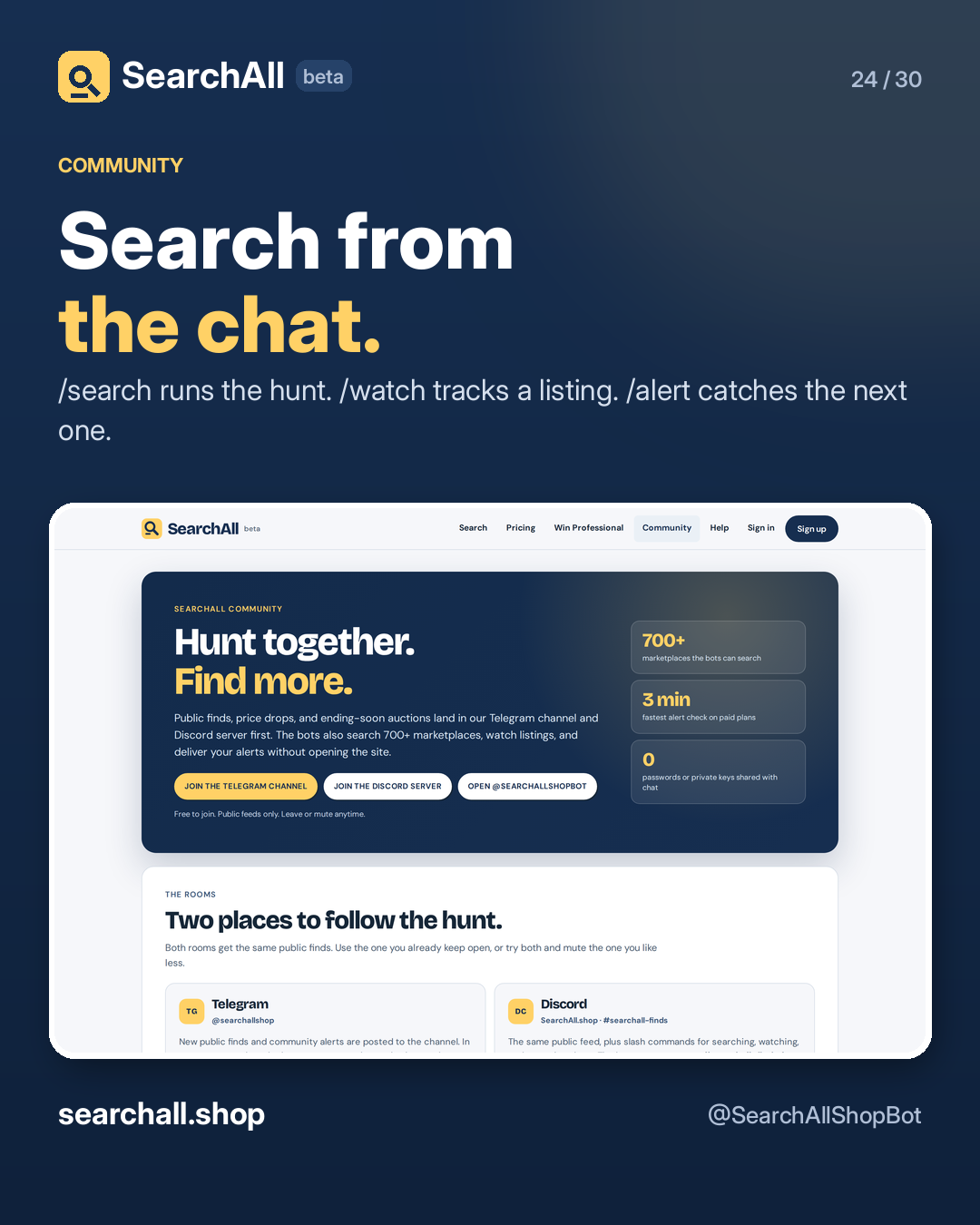
24. Telegram bot

Search from the chat. Message @SearchAllShopBot on Telegram: /search vintage gengar — runs the query across your marketplaces. /watch <url> — tracks one listing's price. /alert <query> — creates a scheduled search. /feed add <query> — posts a filtered deal feed into your own group. Searching is free. Linking an account is one code and a confirmation on the site, and the bot never asks for your passkey. Details at searchall.shop/community.

#SearchAll #Telegram #DealHunting

Approval: approved · Facebook: scheduled

Open the linked page ↗

Post 25 artwork

2026-12-11 · 09:30 ET · image

25. Discord bot

One channel. Every new find. Add the SearchAll bot to your server and it creates #searchall-finds. New public finds, price drops and ending-soon auctions post there. Slash commands cover /search, /watch, /alert and /stats. A server manager can point the feed at another channel with /feed #channel. No ad DMs. Mute the channel, change it, or remove the bot whenever you like. Add it from searchall.shop/community.

#SearchAll #Discord #Community

Approval: approved · Facebook: scheduled
Open the linked page ↗

Post 26 artwork

2026-12-12 · 09:30 ET · image

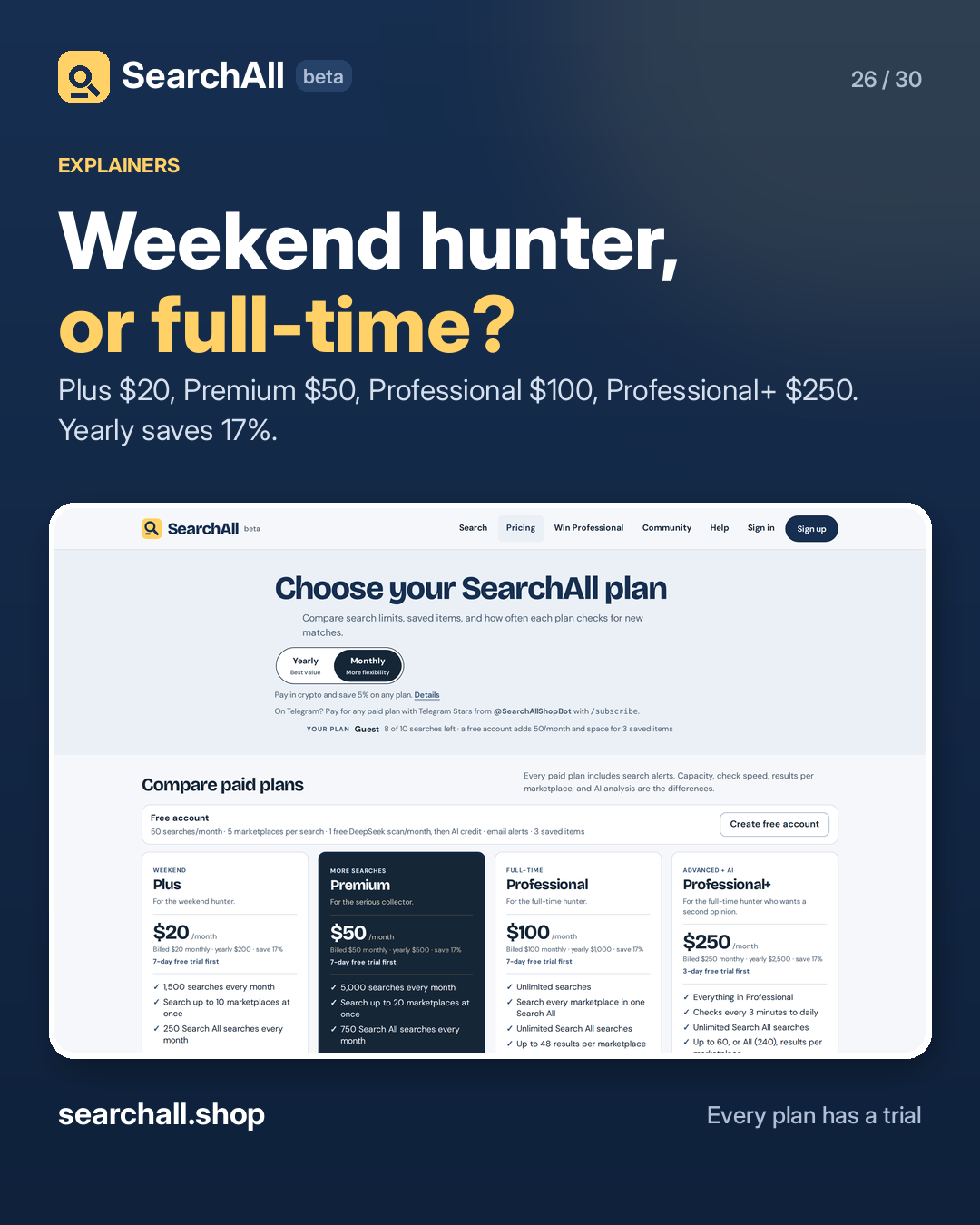
26. Which plan fits

Weekend hunter, or full-time? Plus, $20 a month: 1,500 searches, 10 marketplaces, 250 Search All credits, checks every 1–24 hours. Premium, $50: 5,000 searches, 20 marketplaces, every filter, checks as fast as 15 minutes. Professional, $100: unlimited searches, every marketplace in one Search All, checks as fast as 5 minutes. Professional+, $250: adds the AI models and checks as fast as 3 minutes. Yearly saves 17%. Every paid plan starts with a trial. Compare at searchall.shop/pricing.

#SearchAll #ResellerTools

Approval: approved · Facebook: scheduled
Open the linked page ↗

Post 27 artwork

2026-12-13 · 09:30 ET · image

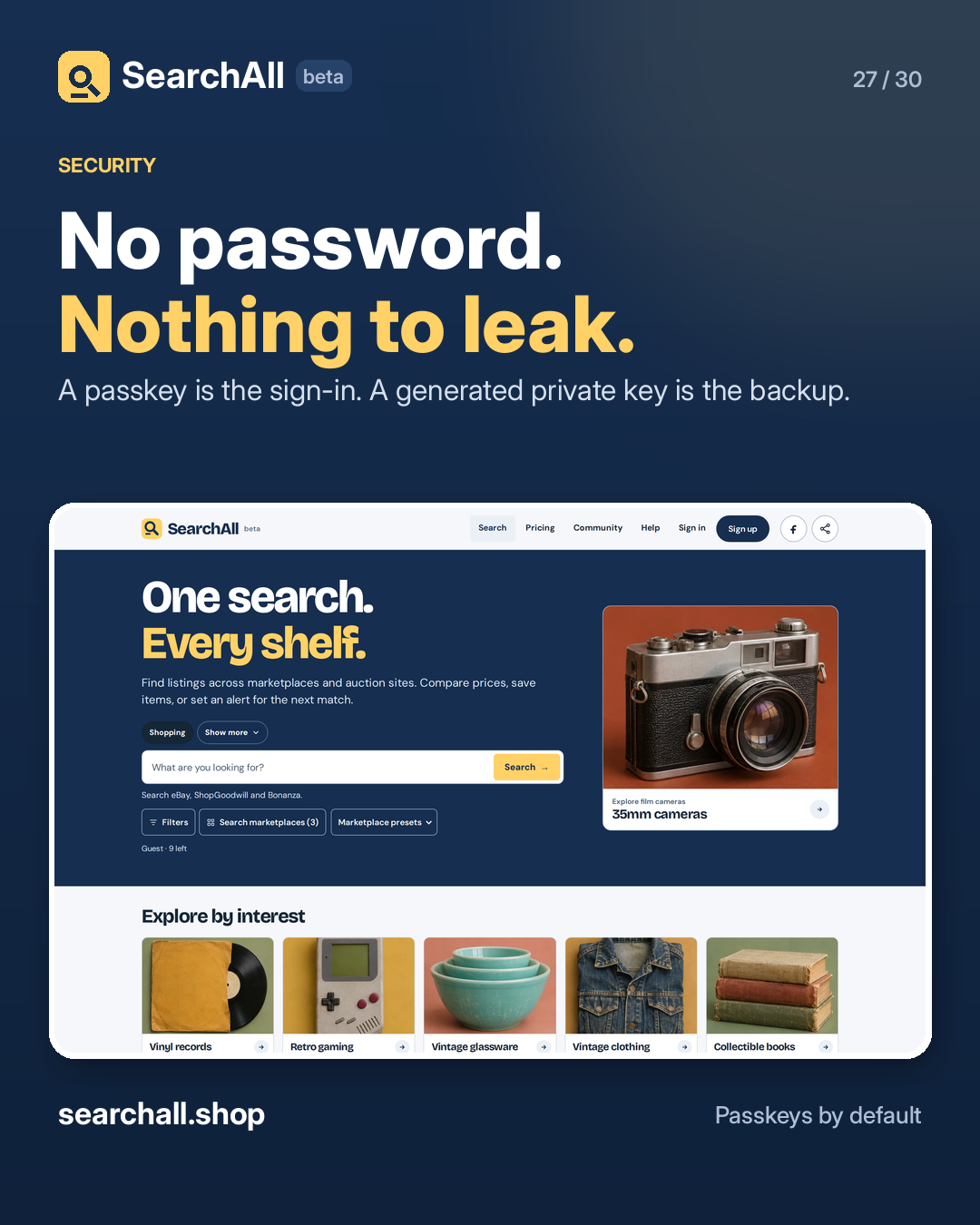
27. No passwords

No password. Nothing to leak. SearchAll signs you in with a passkey. The server stores the public key — never a password, and never a usable secret. A generated private key starting with ld1_ can be your backup. The site stores only a salted fingerprint of it. There is no email reset and no support override. Add a second passkey before you need it, and keep the private key somewhere safe. Read how it works at searchall.shop/help.

#SearchAll #Passkeys #Privacy

Approval: approved · Facebook: scheduled

Open the linked page ↗

Post 28 artwork

2026-12-14 · 09:30 ET · image

28. Win one year of Professional

Win a year of Professional. One grand prize: 12 months of Professional, a $1,000 value. The drawing is December 23, 2026. How to enter: 1. Like the SearchAll.shop page. 2. Follow it. 3. Share and comment on our posts. The top 10% of users by interactions go into the random drawing. No purchase necessary, and a free account can win. Full rules and the countdown: searchall.shop/contest

#SearchAll #Giveaway #Collectors

Approval: approved · Facebook: scheduled

Open the linked page ↗

Post 29 artwork

2026-12-15 · 09:30 ET · image

29. Referral leaderboard

Bring a friend. Climb the board. The referral leaderboard closes December 31, 2026. The top three accounts by completed referrals win 12, 6 and 3 months of Professional. A completed referral means the friend signs up with your code and finishes creating the account. Not a click. Not an email address. Find your code on your account page after signing in. Rules and standings: searchall.shop/contest

#SearchAll #Giveaway #Referrals

Approval: approved · Facebook: scheduled

Open the linked page ↗

Post 30 artwork

2026-12-16 · 09:30 ET · image

30. Your next find

Your next find is one search away. Thirty days of shelves, filters, alerts and auction tricks come down to this: one box, hundreds of marketplaces, and results you can compare without opening ten tabs. Start as a guest with 10 searches. Make a free account if you want 50 a month, saved items and alerts. Then search the thing you have been putting off. → searchall.shop

#SearchAll #OnlineShopping #Collectors

Approval: approved · Facebook: scheduled

Open the linked page ↗

Plan

30 posts in the plan.

1 a day · 09:30 ET · 2026-11-17 to 2026-12-16

Media ready30 / 30
Media missing0
Approval pending0
Native scheduled30
Next postFri Nov 20, 9:30 AM

Upcoming

Next planned posts

cron: 15 8 * * *
#WhenTitleMediaApprovalFacebook
1 2026-11-17 · 09:30 ET One search, every shelf ready approved scheduled
2 2026-11-18 · 09:30 ET How to run your first search ready approved scheduled
3 2026-11-19 · 09:30 ET Filters are free ready approved scheduled
4 2026-11-20 · 09:30 ET Regular search vs Search All ready approved scheduled
5 2026-11-21 · 09:30 ET Start from a preset ready approved scheduled
6 2026-11-22 · 09:30 ET Six other search modes ready approved scheduled
7 2026-11-23 · 09:30 ET Guest vs free account ready approved scheduled
8 2026-11-24 · 09:30 ET Save an item ready approved scheduled
9 2026-11-25 · 09:30 ET Search alerts ready approved scheduled
10 2026-11-26 · 09:30 ET Saved searches ready approved scheduled
11 2026-11-27 · 09:30 ET AI value scan ready approved scheduled
12 2026-11-28 · 09:30 ET Before you bid ready approved scheduled
13 2026-11-29 · 09:30 ET Live vs external sources ready approved scheduled
14 2026-11-30 · 09:30 ET No invented totals ready approved scheduled

Paths and runbook

Where it lives, how to run it.

Token values are never rendered. Copy paths and commands directly from here.

Paths

Files and services

Working Directory /home/airdrop/projects/searchall-facebook-30
Schedule /home/airdrop/projects/searchall-facebook-30/schedule.json
Content /home/airdrop/projects/searchall-facebook-30/content/posts.json
Media /home/airdrop/projects/searchall-facebook-30/images and videos
State /home/airdrop/projects/searchall-facebook-30/facebook_schedule.json
Status /home/airdrop/projects/searchall-facebook-30/status.json
Review /home/airdrop/projects/searchall-facebook-30/content/REVIEW.md
Guidelines /home/airdrop/projects/searchall-facebook-30/content/CAMPAIGN-GUIDELINES.md
Logs /home/airdrop/projects/searchall-facebook-30/logs/schedule.log
Token Custody /home/airdrop/lock/facebookSearchAllPageToken.txt (0600)

Runbook

Commands

Dry-run the scheduler
cd /home/airdrop/projects/searchall-facebook-30 && python3 tools/schedule_facebook.py
Schedule approved posts
cd /home/airdrop/projects/searchall-facebook-30 && tools/run_schedule.sh --allow-partial
Verify Facebook schedule
cd /home/airdrop/projects/searchall-facebook-30 && python3 tools/schedule_facebook.py --verify
Rebuild plan and calendar
cd /home/airdrop/projects/searchall-facebook-30 && python3 prepare_plan.py && python3 tools/build_review.py
Scheduler log
tail -f /home/airdrop/projects/searchall-facebook-30/logs/schedule.log
Notes
  • First three posts are built and awaiting owner review; nothing is scheduled on Facebook yet.
  • The scheduler refuses any post whose status in content/posts.json is not 'approved'.
  • 29 still posters and one screen-recording video with a Mixkit music bed (licence in assets/music/LICENSE.md); more videos can be captured with tools/capture.js.
  • Screenshots and recordings are captured from the live site with tools/capture.js.